Loading changelog...
Loading changelog...
We've changed the default personality from Formal to Original. This means Andak now gives you your raw transcription by default — exactly what you said, with no AI reformatting applied.
Not everyone wants their words reshaped by an AI. By defaulting to Original, new users get a transparent, what-you-say-is-what-you-get experience out of the box. When the personality is set to Original, the local AI engine is bypassed entirely, which also means faster results and lower resource usage.
The Original personality now appears as an option everywhere you can pick a personality — in the Prompts page, per-app context assignments, and the global override menu. When Original is selected, the prompt editor is disabled since no formatting instructions are needed.
This release is all about speed. We've reworked the entire post-recording pipeline so your polished text is ready in about 3 seconds instead of 8-12. For a typical 21-second recording, that's a 60-70% reduction in wait time.
Previously, transcription and text polishing ran one after the other, meaning the AI had to wait for the transcription engine to fully finish before it could start improving your text. Now they run at the same time. The AI polishes what's already been transcribed while the last few words are still being processed, then merges the results. In practice, the final transcription step is completely hidden behind polishing time.
We've tuned the local AI engine for single-user desktop use. Key improvements:
| Metric | Value |
|---|---|
| Total ready latency (21s recording) | ~3.2 seconds |
| Improvement over previous version | 60-70% faster |
We've expanded our free toolset with a specific focus on privacy. Most online audio tools upload your files to a remote server for processing. Ours don't.
We've built a suite of audio utilities powered by FFmpeg.wasm that run 100% locally in your browser. Your audio files never leave your device.
Convert audio files between formats instanty. Supports MP3, WAV, FLAC, OGG, AAC, and M4A with configurable bitrate settings.
Reduce the file size of your recordings without uploading them to a third-party server. Perfect for keeping email attachments small.
A visual editor to cut and trim audio files. Zoom into the waveform to make precise edits and export just the clips you need.
View and edit ID3 tags, update album art, and manage metadata for MP3, FLAC, and M4A files.
Try them free: Audio Tools
We're launching two free browser-based tools to help you experience the power of voice input — no download required.
A real-time speech-to-text tool that runs directly in your browser. Select from 30+ languages, click start, and watch your words appear as you speak.
Measure how fast you speak in words per minute with a quick 30-second test. See how your speaking speed compares to average typing speed.
The average person types at 38-40 WPM but speaks at 150 WPM — that's nearly 4x faster. These tools let you experience that speed gap firsthand. When you're ready for the full experience with 100% local processing, zero latency, and system-wide dictation, try Andak for Mac.
Try them now: Voice Typing · Speaking Speed Test
~/.andak/logs/andak.log, making it easier to diagnose issues after the fact.ditto instead of cp -R, preserving code signing and extended attributes for more reliable updates.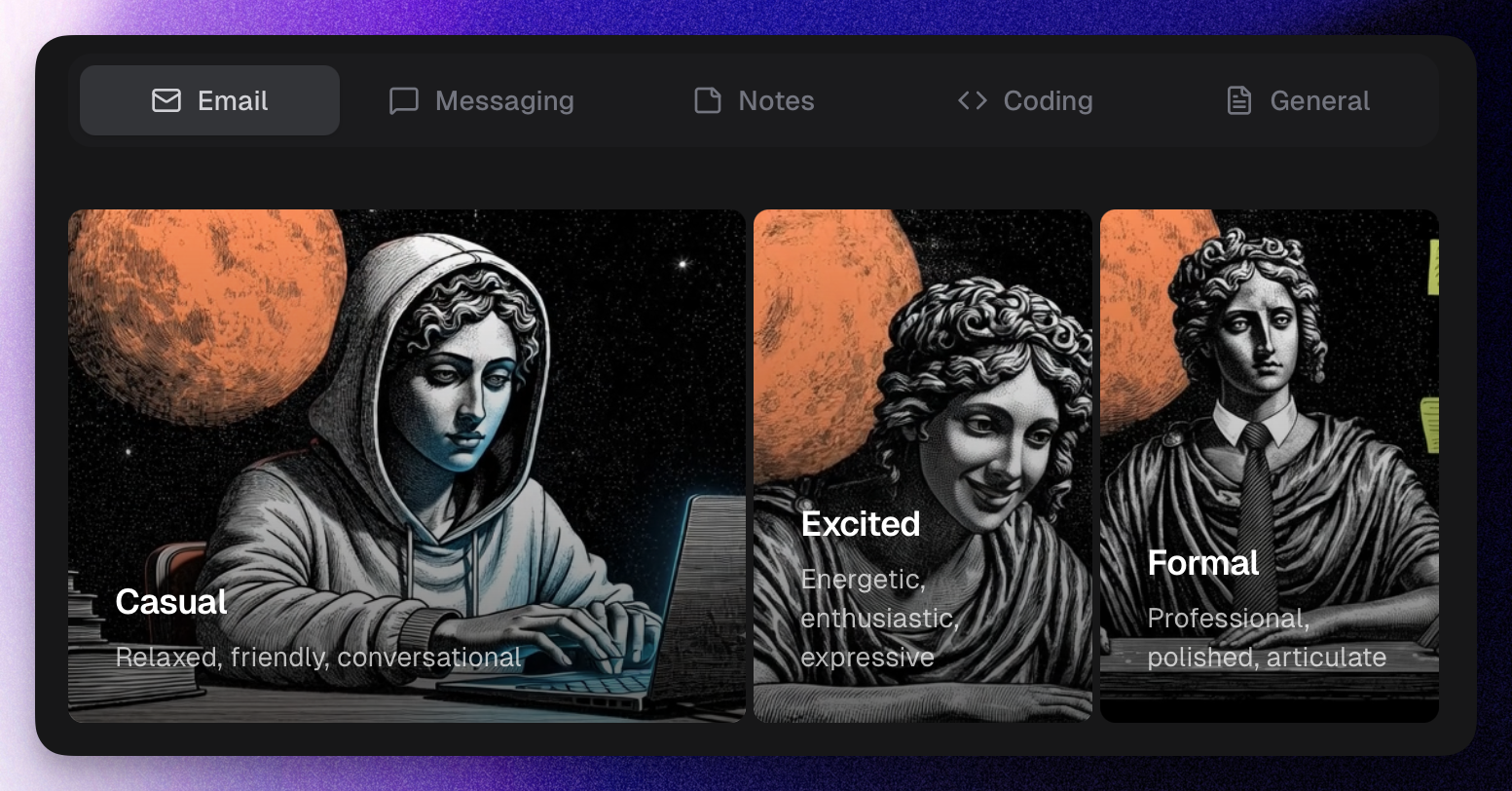
We've redesigned the AI personality illustrations in the personalization settings. The new illustrations feature a classical statue aesthetic with a space theme, moving away from imagery that could be misinterpreted as promoting Andak as an "AI girlfriend" product.
Illustration inspiration: Every / Midjourney
Andak now intelligently recommends the optimal transcription model based on your language preferences, ensuring you get the best balance of accuracy and performance.
If you're upgrading from a previous version, you'll see a one-time prompt suggesting the best model for your current language setup. You can switch to the recommended model or keep your current one — the choice is yours.
This update helps reduce download sizes for English-only users while ensuring multilingual users get the accuracy they need.
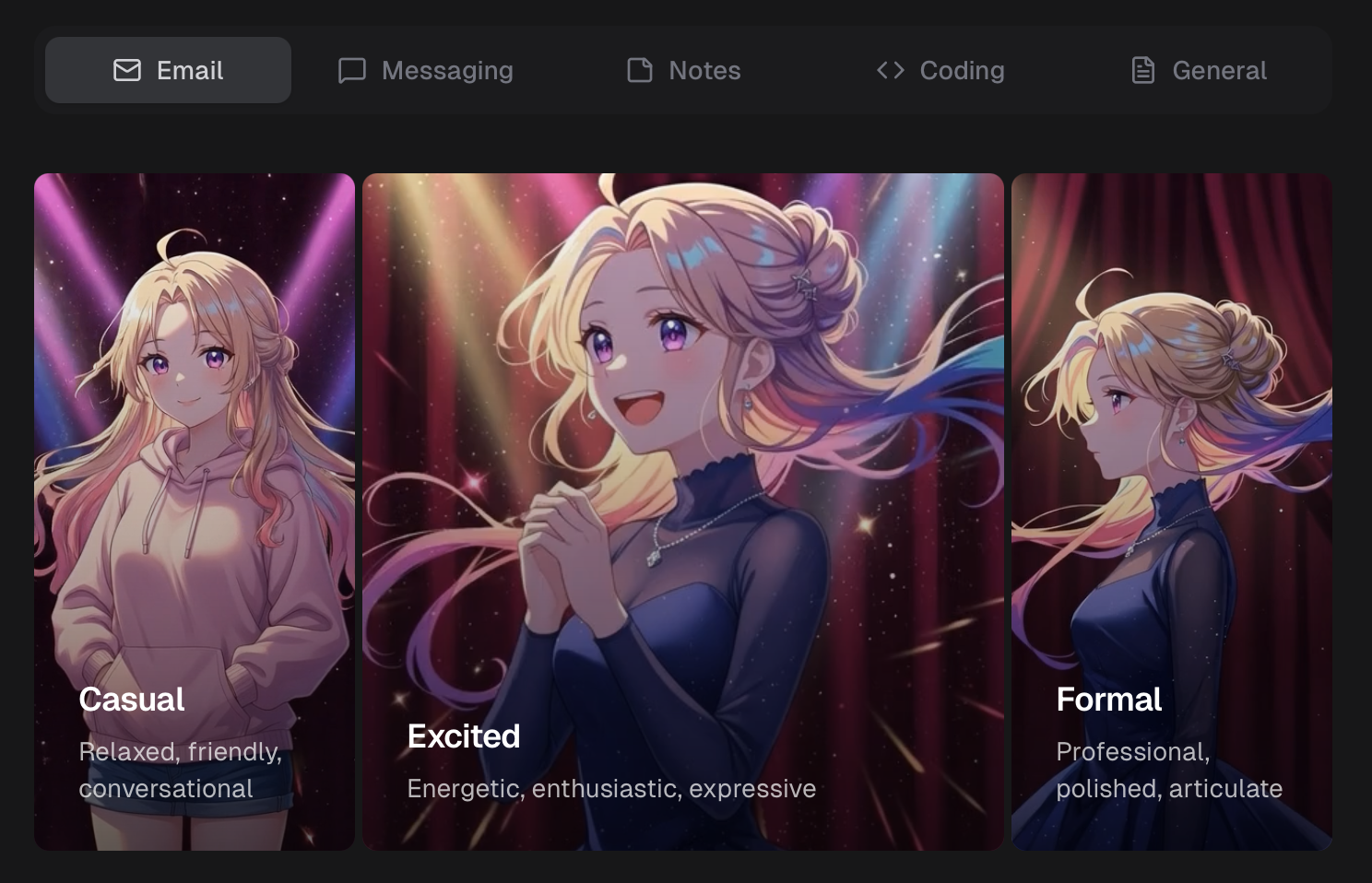
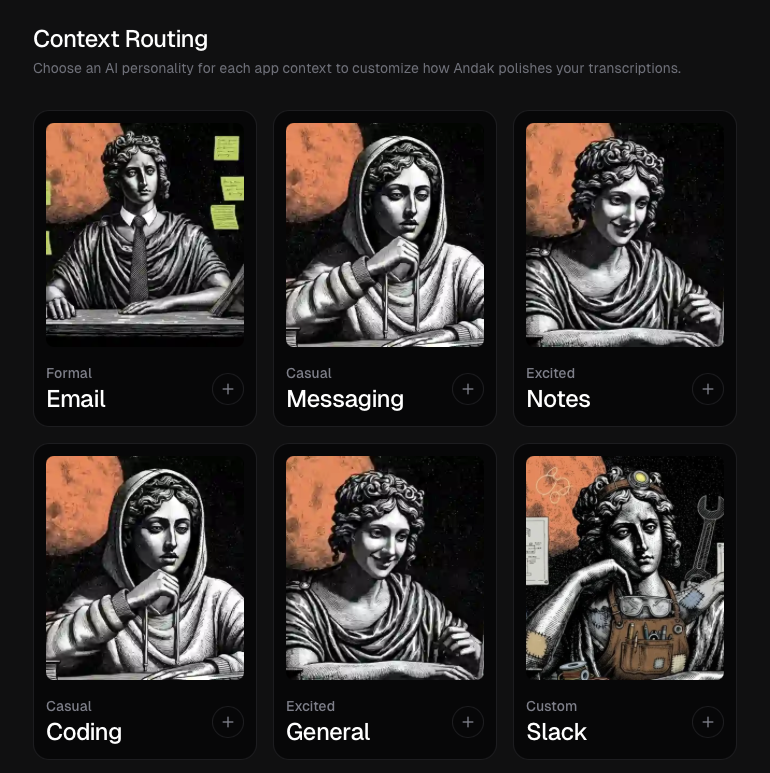
Your voice, your vibe. Andak now lets you choose an AI personality for how your transcriptions get polished.
Different situations call for different tones. Set a unique personality for each context:
Don't like the defaults? Edit any prompt to get exactly the style you want. Reset to default anytime if you change your mind.
New visual personality picker with animated previews. Because choosing your AI's personality should feel as good as using it.
TL;DR: Your transcriptions now match your mood. Formal for work, casual for friends, excited when you're feeling it.
Andak now lives in your menu bar. No more hunting for the app window — it's always one click away.
We've been listening to your feedback, and today we're happy to roll out official support for Intel Macs.
While Apple Silicon offers incredible performance, we know many of you still rely on trusted Intel machines. We've optimized Andak's local inference engine to run efficiently on Intel processors (AMD64), ensuring the same private, low-latency experience.
You can download the Intel version directly from our download page.
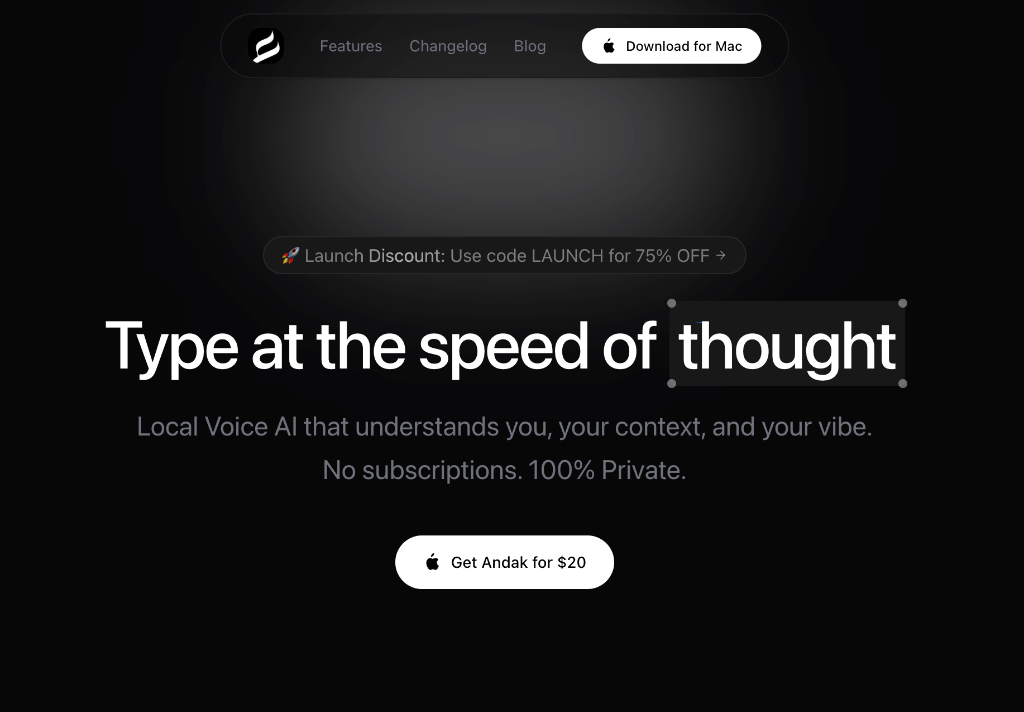
Typing is the bottleneck of thought. We speak 3x faster than we type, yet we’re still hunched over keyboards, manually encoding our ideas one character at a time.
Existing dictation tools haven't solved this. They are slow, inaccurate, and awkward to use. They require you to upload your voice to the cloud, wait for processing, and then painstakingly edit the "garbage" text they produce.
Today, we’re launching Andak.
Andak is a native macOS application designed to make voice input faster, smarter, and more private than ever before.
Andak is built for speed. It processes your voice in real-time using an optimized local engine. There is no cloud upload, no network lag, and no spinning wheels. You speak, and the text appears instantly. It feels less like dictation and more like magic.
Dictation isn't just about turning sound into words; it's about intent. Andak isn't just a transcriber; it's an intelligent writing assistant.
Using a local Large Language Model (LLM), Andak understands where you are typing and formatting your text accordingly:
You don't need to switch modes. Andak looks at your active window and just "gets it."
Your voice is biometric data. Your thoughts are private. Andak runs entirely on your device.
We designed Andak to fit seamlessly into your workflow, not interrupt it.
Andak utilizes state-of-the-art Whisper models to support over 100 languages with incredible accuracy. It even detects the language automatically—so you can switch between English and Spanish mid-sentence, and Andak will keep up.
Ready to type at the speed of thought?
Andak is available for download today. Experience the future of voice interface.
We've changed the default personality from Formal to Original. This means Andak now gives you your raw transcription by default — exactly what you said, with no AI reformatting applied.
Not everyone wants their words reshaped by an AI. By defaulting to Original, new users get a transparent, what-you-say-is-what-you-get experience out of the box. When the personality is set to Original, the local AI engine is bypassed entirely, which also means faster results and lower resource usage.
The Original personality now appears as an option everywhere you can pick a personality — in the Prompts page, per-app context assignments, and the global override menu. When Original is selected, the prompt editor is disabled since no formatting instructions are needed.
This release is all about speed. We've reworked the entire post-recording pipeline so your polished text is ready in about 3 seconds instead of 8-12. For a typical 21-second recording, that's a 60-70% reduction in wait time.
Previously, transcription and text polishing ran one after the other, meaning the AI had to wait for the transcription engine to fully finish before it could start improving your text. Now they run at the same time. The AI polishes what's already been transcribed while the last few words are still being processed, then merges the results. In practice, the final transcription step is completely hidden behind polishing time.
We've tuned the local AI engine for single-user desktop use. Key improvements:
| Metric | Value |
|---|---|
| Total ready latency (21s recording) | ~3.2 seconds |
| Improvement over previous version | 60-70% faster |
We've expanded our free toolset with a specific focus on privacy. Most online audio tools upload your files to a remote server for processing. Ours don't.
We've built a suite of audio utilities powered by FFmpeg.wasm that run 100% locally in your browser. Your audio files never leave your device.
Convert audio files between formats instanty. Supports MP3, WAV, FLAC, OGG, AAC, and M4A with configurable bitrate settings.
Reduce the file size of your recordings without uploading them to a third-party server. Perfect for keeping email attachments small.
A visual editor to cut and trim audio files. Zoom into the waveform to make precise edits and export just the clips you need.
View and edit ID3 tags, update album art, and manage metadata for MP3, FLAC, and M4A files.
Try them free: Audio Tools
We're launching two free browser-based tools to help you experience the power of voice input — no download required.
A real-time speech-to-text tool that runs directly in your browser. Select from 30+ languages, click start, and watch your words appear as you speak.
Measure how fast you speak in words per minute with a quick 30-second test. See how your speaking speed compares to average typing speed.
The average person types at 38-40 WPM but speaks at 150 WPM — that's nearly 4x faster. These tools let you experience that speed gap firsthand. When you're ready for the full experience with 100% local processing, zero latency, and system-wide dictation, try Andak for Mac.
Try them now: Voice Typing · Speaking Speed Test
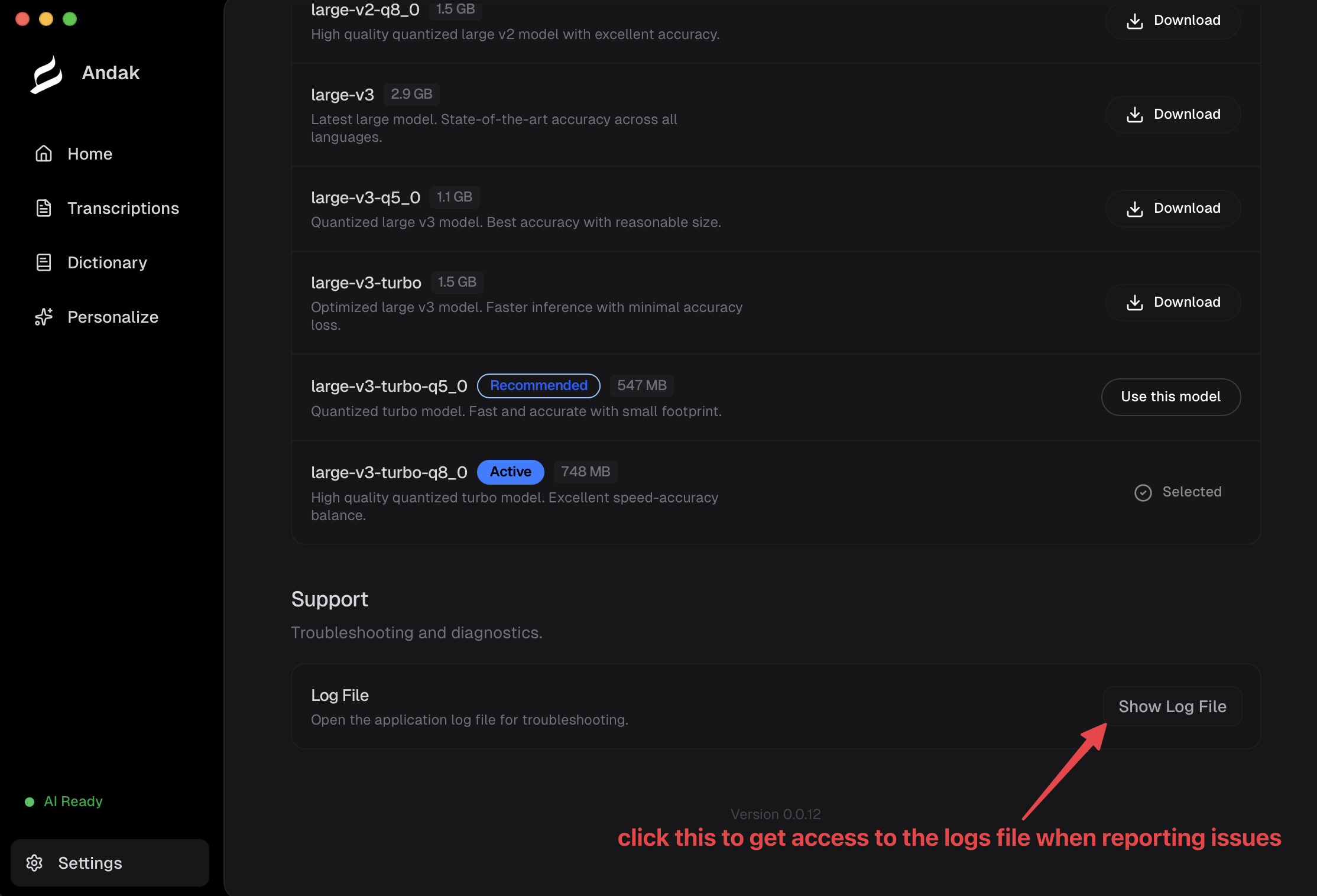
~/.andak/logs/andak.log, making it easier to diagnose issues after the fact.ditto instead of cp -R, preserving code signing and extended attributes for more reliable updates.We've redesigned the AI personality illustrations in the personalization settings. The new illustrations feature a classical statue aesthetic with a space theme, moving away from imagery that could be misinterpreted as promoting Andak as an "AI girlfriend" product.
Illustration inspiration: Every / Midjourney
Andak now intelligently recommends the optimal transcription model based on your language preferences, ensuring you get the best balance of accuracy and performance.
If you're upgrading from a previous version, you'll see a one-time prompt suggesting the best model for your current language setup. You can switch to the recommended model or keep your current one — the choice is yours.
This update helps reduce download sizes for English-only users while ensuring multilingual users get the accuracy they need.
Your voice, your vibe. Andak now lets you choose an AI personality for how your transcriptions get polished.
Different situations call for different tones. Set a unique personality for each context:
Don't like the defaults? Edit any prompt to get exactly the style you want. Reset to default anytime if you change your mind.
New visual personality picker with animated previews. Because choosing your AI's personality should feel as good as using it.
TL;DR: Your transcriptions now match your mood. Formal for work, casual for friends, excited when you're feeling it.
Andak now lives in your menu bar. No more hunting for the app window — it's always one click away.
We've been listening to your feedback, and today we're happy to roll out official support for Intel Macs.
While Apple Silicon offers incredible performance, we know many of you still rely on trusted Intel machines. We've optimized Andak's local inference engine to run efficiently on Intel processors (AMD64), ensuring the same private, low-latency experience.
You can download the Intel version directly from our download page.
Typing is the bottleneck of thought. We speak 3x faster than we type, yet we’re still hunched over keyboards, manually encoding our ideas one character at a time.
Existing dictation tools haven't solved this. They are slow, inaccurate, and awkward to use. They require you to upload your voice to the cloud, wait for processing, and then painstakingly edit the "garbage" text they produce.
Today, we’re launching Andak.
Andak is a native macOS application designed to make voice input faster, smarter, and more private than ever before.
Andak is built for speed. It processes your voice in real-time using an optimized local engine. There is no cloud upload, no network lag, and no spinning wheels. You speak, and the text appears instantly. It feels less like dictation and more like magic.
Dictation isn't just about turning sound into words; it's about intent. Andak isn't just a transcriber; it's an intelligent writing assistant.
Using a local Large Language Model (LLM), Andak understands where you are typing and formatting your text accordingly:
You don't need to switch modes. Andak looks at your active window and just "gets it."
Your voice is biometric data. Your thoughts are private. Andak runs entirely on your device.
We designed Andak to fit seamlessly into your workflow, not interrupt it.
Andak utilizes state-of-the-art Whisper models to support over 100 languages with incredible accuracy. It even detects the language automatically—so you can switch between English and Spanish mid-sentence, and Andak will keep up.
Ready to type at the speed of thought?
Andak is available for download today. Experience the future of voice interface.